
When Your Agent Keeps Stopping, Audit Its Instructions
Contents
An agent can get the answer right and still make the work feel awkward. It stops to ask whether to continue, asks for permission you've already given, then completes another small piece and pauses again. A task that should move along becomes a series of check-ins.
If your AGENTS.md and skills have accumulated instructions over time, unclear scope, overlapping rules, or conflicting requirements are worth investigating. The number of installed skills alone doesn't tell you how fast the model will work.
Codex uses skill names and descriptions to discover relevant guidance, then loads further instructions as needed. Overloaded descriptions can make selection harder, and a skill that applies too broadly can bring in irrelevant material. That differs from loading every installed skill's full contents for every task.
Set aside a short session to inspect the instructions. The aim is to locate a rule you can evaluate, not to promise that ten minutes of cleanup will fix every pause.
Rules Have a Cost
An instruction to “ask first” may have been added for a good reason: a particular action needed your decision, and you wanted to prevent it from happening again without approval.
The problem can emerge as rules accumulate. An instruction written for one situation may appear to cover ordinary work too. Two files may describe different stopping points. That can give the agent a reason to pause when you expected it to continue. Check the actual instruction and the action it affected; a wait for a tool, a necessary test, or a missing requirement can also explain a delay.
Look for Rules Whose Scope Has Drifted
Distinguish an approval you deliberately require from wording that may cover more than you intended.
For example, suppose you meant to require approval before sending an external message, but wrote “Ask before taking any action.” That broader sentence may also appear to cover a local edit you've already requested. The person who set the boundary needs to decide whether to narrow it. The agent shouldn't discard an explicit approval requirement because it considers the work routine.
Both instructions can contain the same words: “ask me first.” Have the agent identify the passage, the action it appears to govern, and the uncertainty. That gives you something more useful to assess than a general complaint that there are too many rules.
What a Clean Setup Can—and Can't—Show
A project running smoothly with a short prompt and no accumulated configuration can make a clean start look appealing. It doesn't establish that removing your instructions will make your project faster. Task, model, tools, environment, and the quality of the result all affect that comparison.
Use the contrast as a reason to inspect instructions that no longer fit. It isn't a controlled test or a reason to clear out the safeguards and conventions you still need.
The Audit Prompt
In a new chat with access to the relevant files, you can ask for an audit like this:
Review my AGENTS.md and skill files for unclear, conflicting,
or overlapping instructions that may cause unnecessary pauses,
redundant confirmation requests, or incomplete work.

Pay particular attention to autonomy, clarification, approval,
and completion. Distinguish deliberate approval requirements
from wording that may unintentionally cover already-authorized work.

For each finding:
- Quote the relevant instruction and identify its file.
- Describe a concrete action it could affect.
- Explain the possible effect on your behavior and any uncertainty.
- Propose a specific edit for me to review.

Preserve all explicit approval requirements unless I approve a change.
Identify any proposal that would expand your authority or change
who makes a decision. Prioritize findings by their likely practical
effect, and explain that ranking.

Return recommendations only. Do not modify any files.
The final instruction keeps the result reviewable: you should receive a list of proposals while the files stay as they are.
The rest gives each proposal enough detail to judge. You need the original words, their location, the behavior they may affect, and the proposed edit. Without the quote, you can't tell whether the agent has interpreted the rule correctly. Without the file, you can't reliably locate what it wants to change.
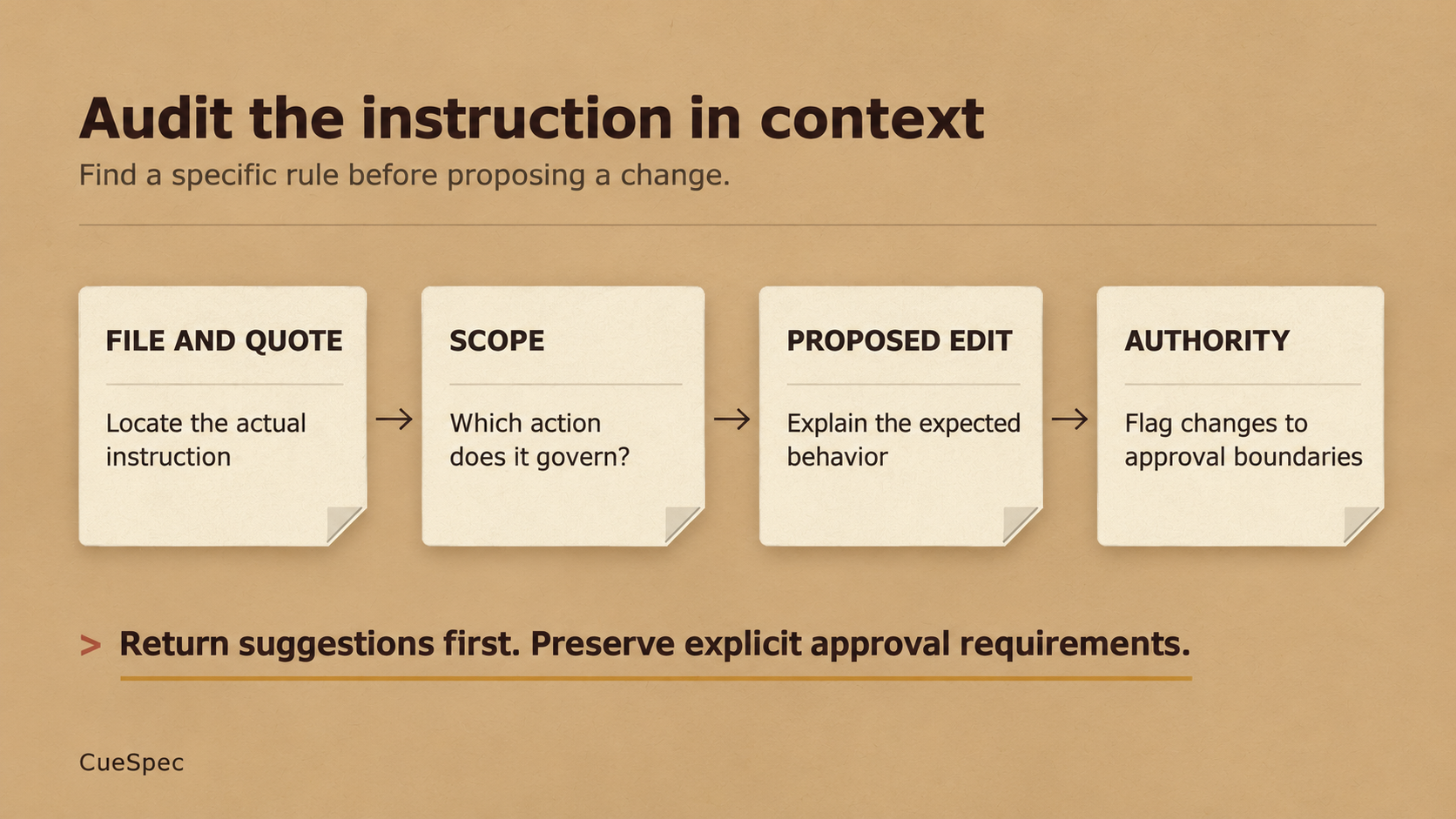
Locate the actual instruction, explain the proposed change, and preserve explicit approval requirements.
View full-size illustration
After You Get the List
Don't accept every finding. Read each cited passage in context; set aside anything you can't match to the file or to an actual problem.
Start with proposals that expand authority. They change a decision boundary, so the person responsible for that boundary needs to explicitly accept or reject them. Then inspect the proposals ranked as having the biggest practical effect. That ranking is a hypothesis to examine, not a diagnosis the audit has proved.
If you approve an edit, try an ordinary task that is already within the intended authorization. See whether the agent continues where expected and still stops at the boundaries you kept. Until you've tried it, you have a revised instruction, not a measured improvement.
Other suggestions can wait. Keep the rules that serve a purpose, and make clear which action, consequence, or decision each one governs.