
Three Things to Know Before Using Codex: Which Version, What It Does Well and Where It Can Go Wrong
Contents
Getting an AI to keep working through a long job used to be difficult. Codex's goal-based work can carry a task through multiple steps while you're away, as long as the computer, allowance and any required approvals let it continue.
Two other things make it worth a look: a browser extension can bring an open webpage into the work, and there are different account and model-access routes. How those are connected matters.
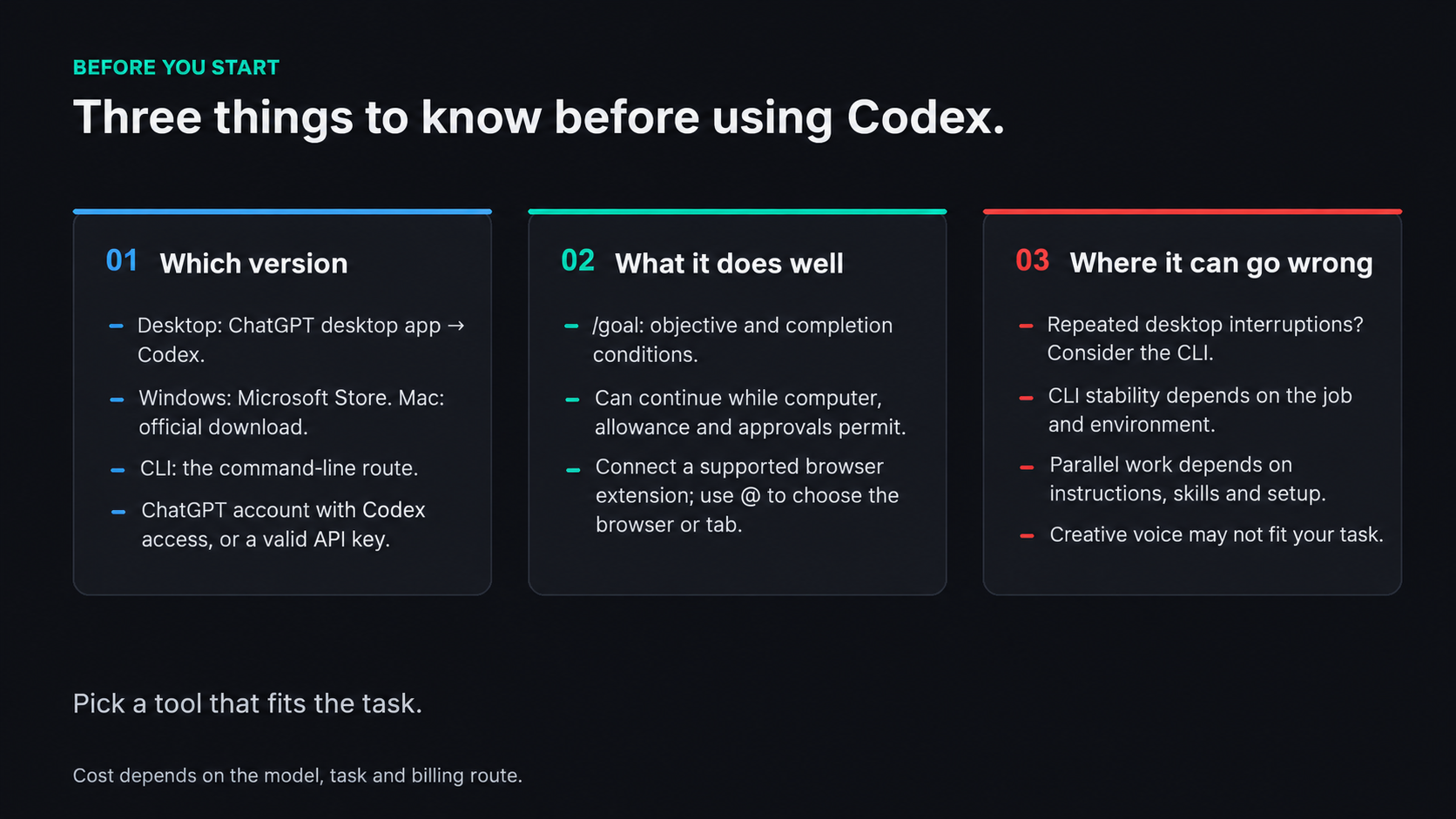
Choose the route and setup that fit the task.
View full-size illustration
One: Which Version to Install
There are desktop and command-line routes. If ease of use is the priority, the desktop interface is a natural starting point.
The official desktop route is now the ChatGPT desktop app, with Codex selected in its product selector. On Windows, use the official Microsoft Store distribution; on a supported Mac, use the official desktop download. That gets you to the Codex working interface without relying on an unidentified third-party installer.
If you have a ChatGPT account with Codex access, sign in through the account flow. What you can use and how much allowance you have depend on the plan, rather than simply whether you've paid for a subscription.
API access is another route. Choose “Sign in another way” and enter a valid API key; that usage has its own billing basis. A supported provider configuration also needs the appropriate authentication and compatibility. An arbitrary value or a channel-switching utility isn't a universal login procedure.
Once you're in, choose a working directory: the folder for the job. Then start a chat. As the work grows, projects and their conversations give you a way to organize the tasks instead of keeping everything in one long exchange.
Where does that leave Claude Code? It can still be a good fit for a particular workflow. Which harness works better depends on the task and setup; the same model doesn't automatically make one interface the winner. Codex's desktop interface can lower the barrier to getting started. Convenience is more than a pretty screen.
Two: Its Two Useful Advantages
First: Goal-based work.
Use /goal to give it a clear objective and completion conditions. It can continue from one stage to the next rather than stopping after a single reply. That makes progress while you're away possible, without promising an uninterrupted night when the environment or usage limits get in the way.
What does that burn in tokens? Eight hours isn't a price. Usage depends on the model, task, context and tools, and a subscription allowance isn't the same thing as an API bill.
It's easy to begin by hunting for free allowances, move to a subscription, and spend your time watching the meter. Before you've found a real use for the tool, even a modest monthly bill can feel like a lot.
A difficult project can change the scale of that question. More rounds of work, more context and more tool use can add up quickly. The comparison becomes what it costs to finish something that matters, rather than how much AI you can use for the smallest fee.
When the result is worth much more than the compute, the wish is often for the agent to get on with it. You notice the delay, or the bit it got wrong, more than the token counter. That's where goal-based work earns its place: more of the job can move forward without you having to restart every stage yourself.
Second: The browser extension.
An agent working with local files may still be missing the posts, videos and other information you can reach through websites. Connect a supported browser extension through the desktop app's Computer Use settings, then use @ to select the browser or tab in a Codex chat. That can provide access to the connected, readable page and its logged-in context, rather than making every platform's content automatically available.
It opens up tasks such as collecting material for a local knowledge base. A goal can organize that work across several steps, using the pages and tools actually available, rather than guaranteeing that a whole night's collection will be finished when you wake up.
Cost is part of choosing a model too. Comparing GPT with Claude means looking at the usage for the work you need, under the plan or API pricing you're actually using. One route may fit a budget that another doesn't; the better value also depends on how well it handles the coding task. There isn't a fixed hourly bill or a permanent four-to-one price relationship to carry from one job to the next.
There are trade-offs beyond code. For creative back-and-forth, you might find the writing too wooden, too much like talking to a machine. A tool that fits a coding task doesn't necessarily have the voice you want for developing an idea.
Three: Where It Can Go Wrong
First: The desktop interface can become the weak link.
A good-looking interface isn't enough if it keeps interrupting a particular job. If the desktop route repeatedly breaks down during your long-running work, the CLI is another route to consider. That is a choice based on the task and environment, not a promise that the CLI never crashes or that every current desktop version has the same fault.
Second: Parallel Work Depends on the Setup.
For a large job, several agents can work in parallel, and the interface can make their work easier to inspect. You can explicitly request that a task use multiple agents. Delegation can also come from applicable project instructions or skills, and some supported configurations can initiate it. How that happens depends on the environment; it isn't a universal rule that Codex will never start parallel work unless you say those exact words.
One Last Thing
There's plenty to like about the desktop approach. If Codex feels awkward, other agents may fit better. A familiar desktop layout can make the work easier to follow, without proving that one interface is right for everyone.
Models keep improving, and the programs around them keep changing. Pick a tool that fits, give it a real job, and you'll start finding your own way of working.