
Display Smart Glasses: The Prescription and Comfort Trade-Offs
Contents
A message floating in your glasses is an easy thing to get excited about. If you wear prescription lenses, the next question is less futuristic: can these also be your everyday glasses?
That question deserves as much attention as the AI. You can like the display and still have a prescription the product doesn't support. You can understand the technology and still dislike how the frame sits on your face. The clever part has to earn its place on your nose.
The useful starting point is what a display adds to the job, how it works with your prescription and how the whole frame feels to wear. Those answers bring the futuristic promise back to an everyday decision.
Display Optics and Prescription Lenses Have to Work Together
Think of the job in two parts. The glasses need to present the digital image, while your prescription serves your view of the world through the lenses. Putting both into something you'd wear is a system-design problem.
Lumus gives a concrete engineering example. It describes Z-Lens as a two-dimensional waveguide paired with a projector, and lists support for bonding a prescription lens directly to it. Prescription integration is part of the engineering brief, alongside producing the displayed image.
Z-Lens is an engineering platform in this example. The prescription options offered in a finished pair of consumer glasses are a separate product question. That's where a manufacturer's supported range and ordering arrangements become useful.
For someone choosing glasses, the practical question is how the finished product accommodates their prescription. Whether a lens is integrated, bonded or supplied as an insert is part of that answer. The label alone doesn't rank every design from best to worst.
Your Prescription Can Settle the Choice Early
A product's supported prescription range can decide whether it is an option for you at all. Start with the prescription you actually wear and the lens configurations the finished product supports.
“Supports prescriptions” is only the beginning of the answer. You still need a supported lens solution for your particular prescription, with the display and your view through the lenses working together.
This is where the shopping decision can become surprisingly ordinary. You may be fascinated by the display and still have to put that model aside because the supported prescription doesn't fit. A feature comparison won't change that constraint.
It also explains why “the manufacturer offers prescription lenses” and “this can replace my usual glasses” are different questions. The first opens a possibility. The second concerns the person who will wear them.
Ordering and Returns Are Separate Trade-Offs
An optical design and a purchase arrangement answer different questions. Before paying, find out which lens configuration you are ordering and whether it can be changed afterward. Those answers belong to the particular product and seller.
The demonstration and the order serve different purposes: one lets you experience the display, while the other has to deliver the prescription version you'll live with. Make sure you understand the configuration you tried and the one you would receive.
Returns need their own answer. Read the seller's terms for the configuration you would buy, including any prescription customization. The optical principle doesn't tell you what that seller will accept back or who handles the process.
So keep three questions separate: which prescription can be ordered, whether the product can be altered later, and what return process applies. They concern different decisions. An answer to one shouldn't quietly become an answer to the other two.
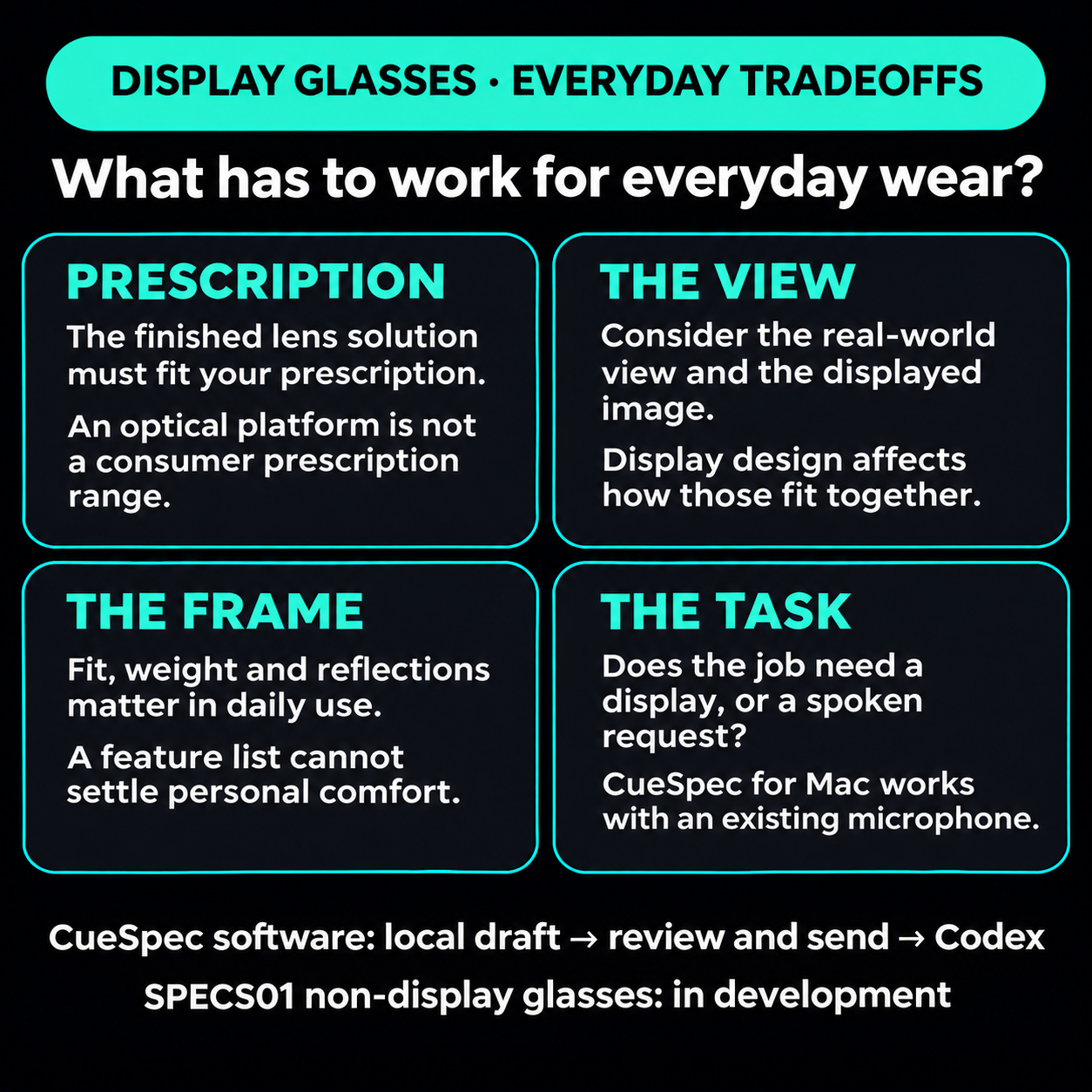
Prescription fit, the everyday view and frame comfort belong alongside the display decision. CueSpec for Mac can start a voice-to-Codex workflow with an existing microphone; SPECS01 glasses remain in development.
View full-size illustration
Your Eyes Have to Make Sense of the Image
Two terms help explain one important display-design issue. Accommodation is the eye's focusing adjustment. Vergence is how the two eyes turn to look at the same point. These are normal parts of seeing; the concern in stereoscopic displays is when their distance cues disagree.
In a 2008 study, David Hoffman and colleagues used a display that let them control focus cues alongside stereoscopic depth. More consistent cues improved aspects of visual performance and reduced reported fatigue and discomfort. The experiment supports taking that mismatch seriously in display design.
The useful takeaway is specific: agreement between depth cues matters in the stereoscopic display tested. Applying that result elsewhere requires knowing how a display presents its image. It doesn't establish that every monocular display is uncomfortable, or give every pair of smart glasses the same wear-time limit.
Navigation makes the everyday question tangible. Imagine looking along a path, then checking a direction prompt in your glasses. You want the prompt to help you follow the route without making the view unpleasant. The experience of moving between the scene and the displayed information is part of what you're evaluating in that particular pair.
Keep the Everyday View in the Picture
Weight, frame shape, the position of the display and reflections all belong in the decision about wearing the glasses every day. “I see a distracting reflection here” matters even if the feature list looks excellent. The view through the lenses and the fit on your face still have to suit you.
Light visible from the front is another everyday trade-off. How noticeable is it in the setting where you want to use the glasses, and does it bother you there? If it does, the display's usefulness has to be worth that compromise for you.
If you mainly want to speak a task to an AI and have little use for a visual prompt, you can try that workflow before choosing glasses. CueSpec for Mac works with an existing microphone: record a local draft, review it and explicitly send it to the selected Codex conversation. Codex then works with the tools and context available there. CueSpec's SPECS01 glasses are a separate, developing non-display voice-interaction direction, rather than hardware already available to buy.
If seeing captions, a direction or a short message is central to the job, a display has a clearer reason to be there. It still needs to work with your prescription, your everyday view and the frame on your face. Decide what you want the glasses to do, then whether the little screen deserves the space.