
In the AI Era, Everyone Should Give Voice Input a Try
On this page
Speaking can help get a first brief onto the page.
Doing some vibe coding? Say the requirements into CueSpec for Mac, review the draft and send it to the Codex conversation where you're working. Got a message you really don't want to answer? Dictate the point you need to make, then ask Codex for a civil reply. Writing a video script? Speak the outline, review it and use it to start the writing task. Pretty satisfying.
Those are three places where switching to voice input can make a real difference. Here are four reasons to give it a try.
1. Faster, with fewer errors during entry
In a controlled iPhone study published in 2017, Ruan and colleagues had 24 English-speaking participants use both a touchscreen keyboard and speech input. English entry averaged 52 words per minute by keyboard and 153 by speech—a reported ratio of 2.93 to 1. The corrected error rate was also 16.7% lower with speech, though slightly more errors remained in the final text. This was short-message transcription on a phone, not a desktop AI-task benchmark.
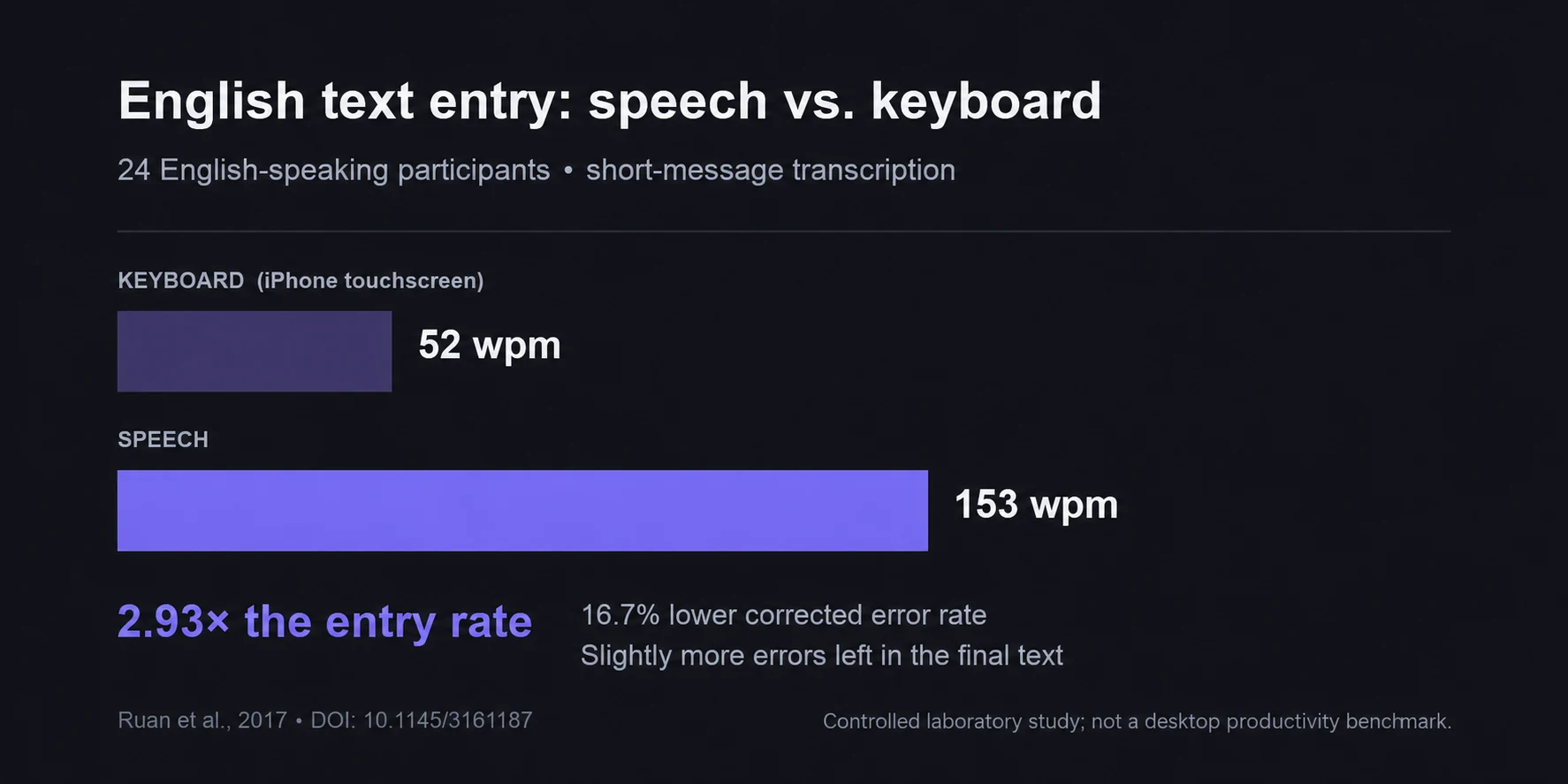
Ruan and colleagues' 2017 English results: the same 24 participants used both methods, with counterbalanced phrase sets.
What does that look like in practice? Picture giving an AI the same task: a few minutes to type it out, a minute to say it.
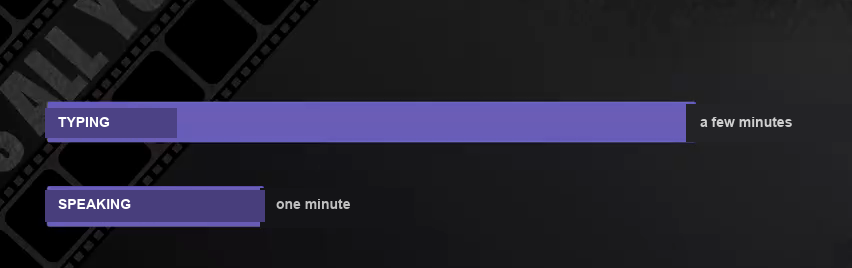
Illustration: the same task, the same person—a few minutes to type it, one minute to say it. These are illustrative timings, not a measured result.
When you're typing out requirements for vibe coding, it's easy to keep deleting and rewriting. Somehow it never quite says what you mean. With CueSpec for Mac running, tap right Shift to start recording and tap it again to stop. You can get the idea out before arranging every sentence. Something like this:
Build me a city selector for digital nomads. Factor in the cost of living, visa difficulty and internet speed—actually, put internet speed first. I've got games to play, too. Give it a dark, tech-inspired look, with light and dark modes.
Hear the pauses, the repetition, the last-second change of mind? CueSpec gives you a local, editable draft. Optional refinement can help with the wording when CueSpec Server is configured and you're signed in. Review it, correct anything it missed and explicitly send it to the chosen Codex conversation. You can then ask Codex to organize the requirements with internet speed first.
The more you work with AI, the more that matters: a long explanation gives speaking a useful place in the workflow. Project names and technical terms can still be misheard. Check their spelling in the draft before sending it, so the next task starts with the name you mean.
CueSpec for Mac is free during its beta. That covers the software, not Codex usage or separate optional-service costs. If you already work in Codex on a Mac, the useful fit is a spoken draft you can review and send to the conversation you choose.
There's a nice bonus, too. Once you get used to talking, you may find yourself saying more. The AI gets richer context to work with, and that can make for better answers.
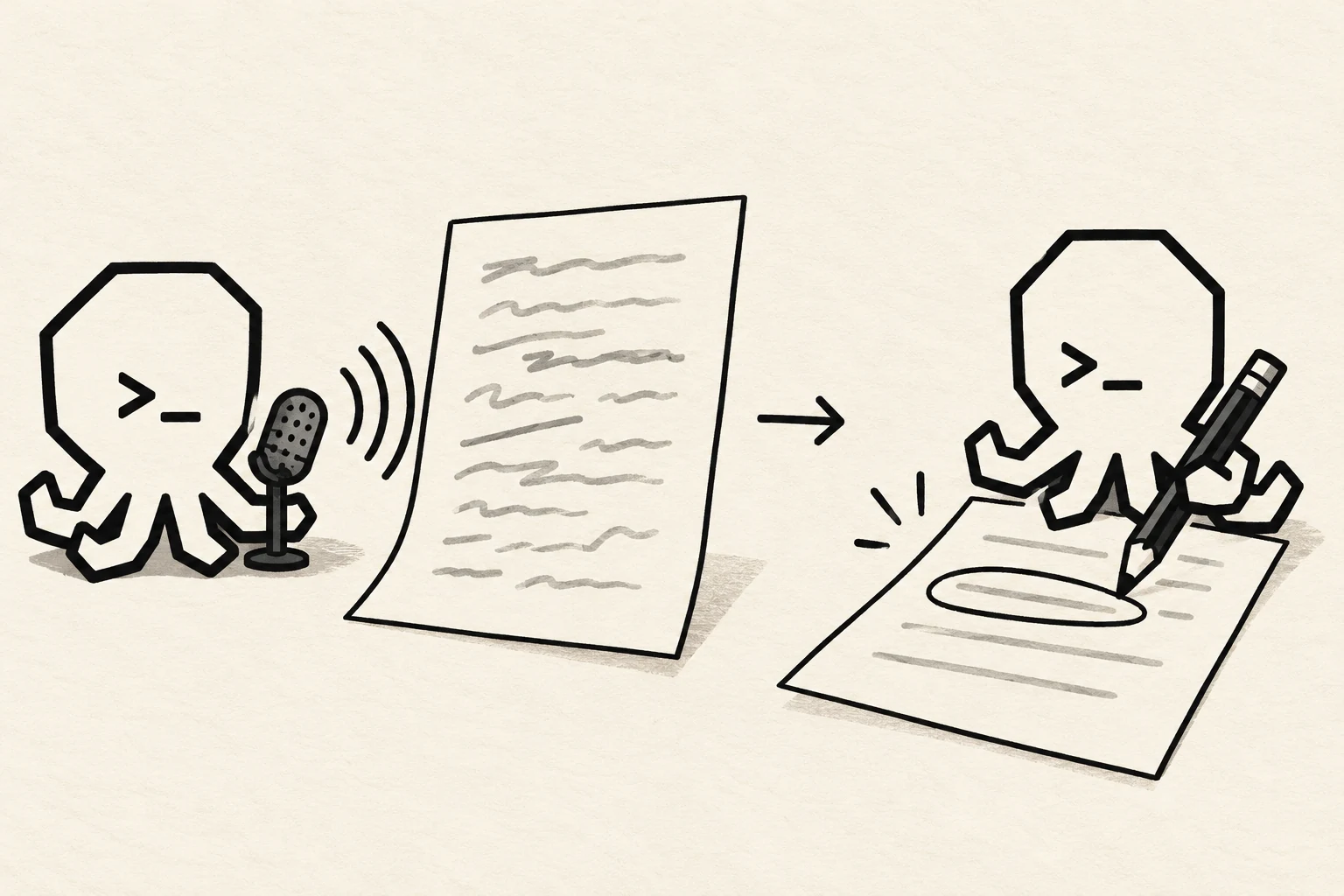
The octopus mascot with a microphone, paper, and a pencil.
2. Closer to the speed of thought
Typing can put you straight into editing mode. You spend your energy arranging sentences, wondering how to make the AI understand, and somewhere along the way you lose something you meant to say.
Talking feels different. You aren't watching a word count, so details and context have room to come out. Fillers, repetition, a sentence you never quite finish: get the draft down first, then refine it yourself or ask Codex to pull out the main points.
That's why voice input matters so much more in the AI era. AI needs context, and talking is a natural way to give it context.
3. Voice feels like the most natural interface right now
The city-selector example has another half. The spoken words can be a task for Codex, as well as material for a document. Record the instruction in CueSpec, then review and send it to the intended conversation.
This time, try: “I want to build a city-selection website for digital nomads. Help me flesh out the requirements.”
That sentence gives Codex a starting point for breaking down what the site needs: cost-of-living measures, how well a city suits remote work, quality of life, the local environment. It can work on a detailed brief, including dimensions you might not have thought to write down yourself, using the context and tools available in that conversation.
That's the useful connection: the draft carries your explanation into the task. Fleshing out a brief doesn't have to mean typing every thought into a chat box. You still decide what to send and what to do with the answer.
The same approach can start tasks involving tables, slides and documents when the selected Codex conversation has the necessary material and tools. For a reply, put the message you want to answer in that conversation. Suppose your manager asks for an update before the agreed Friday checkpoint, while you're waiting on a dependency. Dictate: “Help me explain what's finished, what's blocked and when I can give a fuller update. Keep it calm.” You get to work on the response without first polishing your frustration into sentences.
That's the appeal of voice plus a model: getting it to do the bits you'd really rather not do yourself.
4. Your wrists and eyes
The last reason is pretty basic: you can get a first draft down without typing every line or watching the cursor the whole time.
While recording, you can look out the window or stand up and stretch for a moment. Then come back to review the draft. It's a chance to change position during a long session at the keyboard.
One last thing
Try it with one task you'd otherwise type: a brief, a reply or a script outline. See how much editing the draft needs and whether the handoff fits your work. That's a more useful answer than guessing whether voice input is for you.